
BK8 Sign Up: Open Your Account in a Few Minutes
Signing up takes one form and a few minutes. You need a working email, a phone number, your name as it appears on your documents and a choice of currency, which for players here is Malaysian Ringgit. One account opens every section of BK8 Malaysia: sportsbook, live casino, slots, fishing, fast games and the 4D tab, along with the welcome offers reserved for new members. No documents are uploaded at this stage.
288% Welcome Bonus for new accounts
What You Need Before You Start
Nothing exotic, but having it ready saves restarting the form:
- a working email address you can access
- a mobile number, entered with the +60 country code
- your full name exactly as it appears on your identity document
- Malaysian Ringgit as your Preferred Currency
- an Affiliate or Referral ID, only if someone invited you
The name field deserves a moment of care. Nothing is checked at sign-up, but before a withdrawal the platform compares your profile against an identity document and a bank statement, and the name on the bank account has to match the name on the account. A nickname typed in that field turns into a blocked payout later.
Registration is open to players aged 18 and over.
How to Register a BK8 Account Step by Step
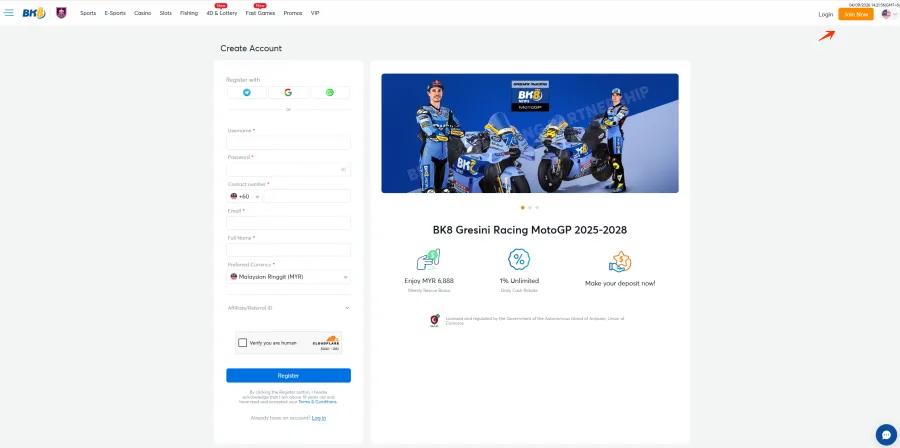
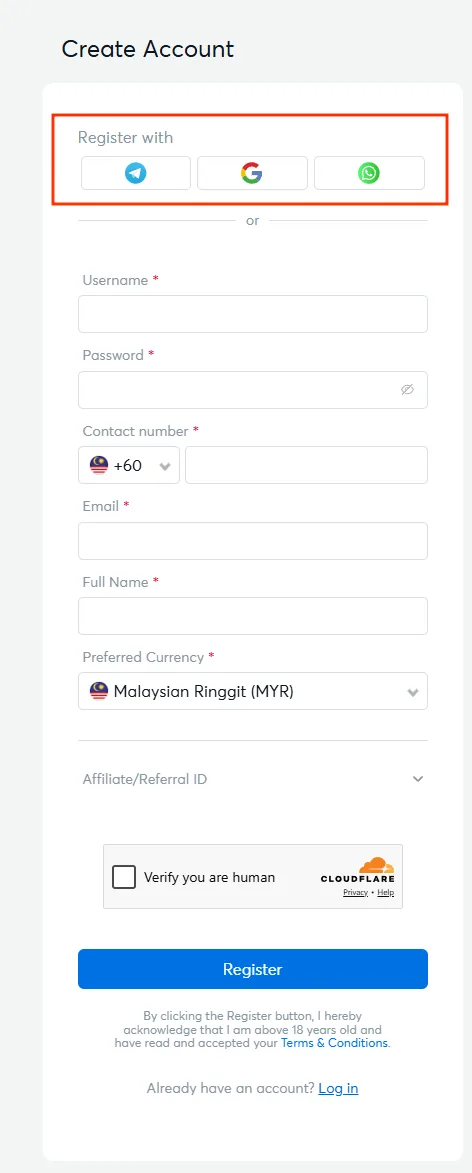
The form sits behind the Join Now button in the top right corner of the site, and behind the Create Account link at the bottom of the login window. It is a single screen with six required fields. Social sign-up through Telegram, Google or WhatsApp is offered above the fields if you would rather not type them all.
Open the form
Press Join Now in the site header, or Create Account inside the login window.
Choose a username and password
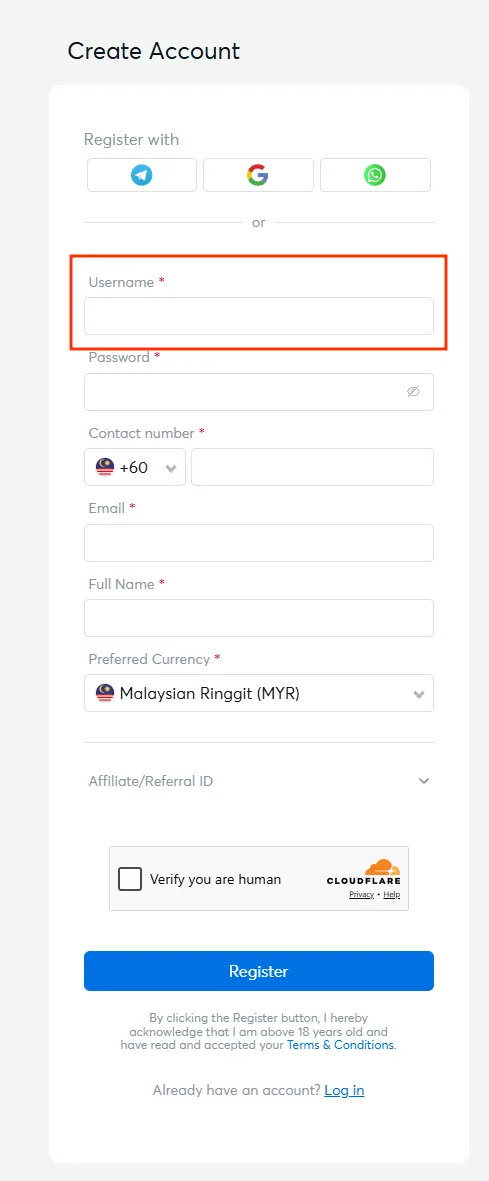
Type the Username you want to sign in with, then set a Password. The eye icon next to the field shows what you typed if you want to check it before continuing.
Add your contact details
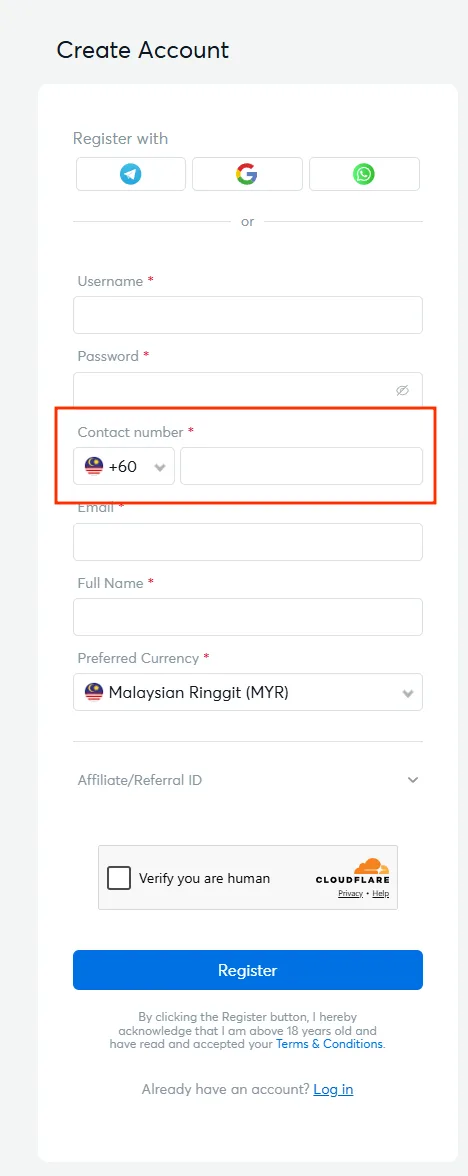
Enter the Contact number with the country code, which defaults to +60 for Malaysia, then your Email and your Full Name as it appears on your documents.
Set the currency and referral ID
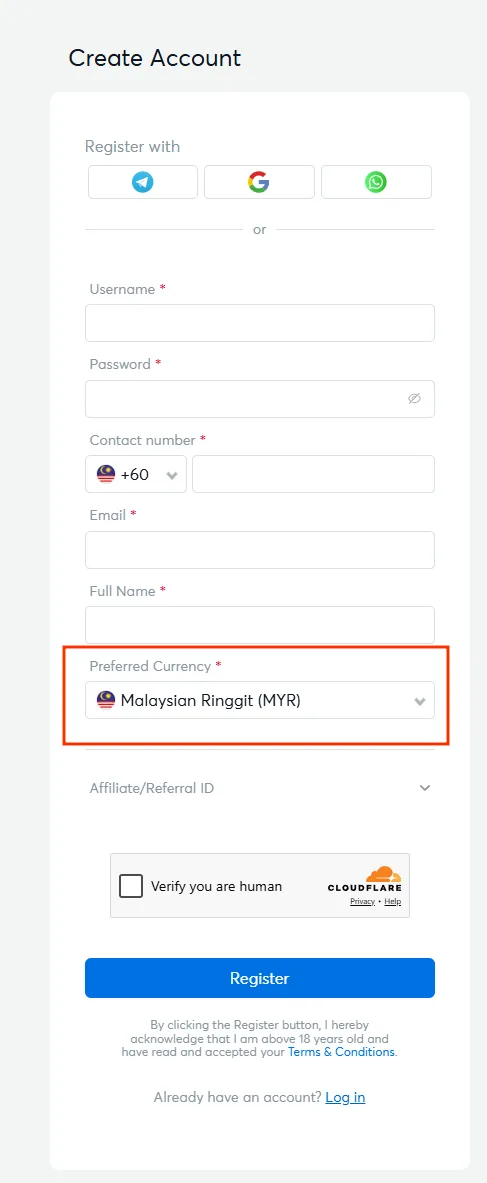
Preferred Currency defaults to Malaysian Ringgit (MYR). If you arrived through an invitation, open the Affiliate or Referral ID field and enter the code.
Pass the security check and register
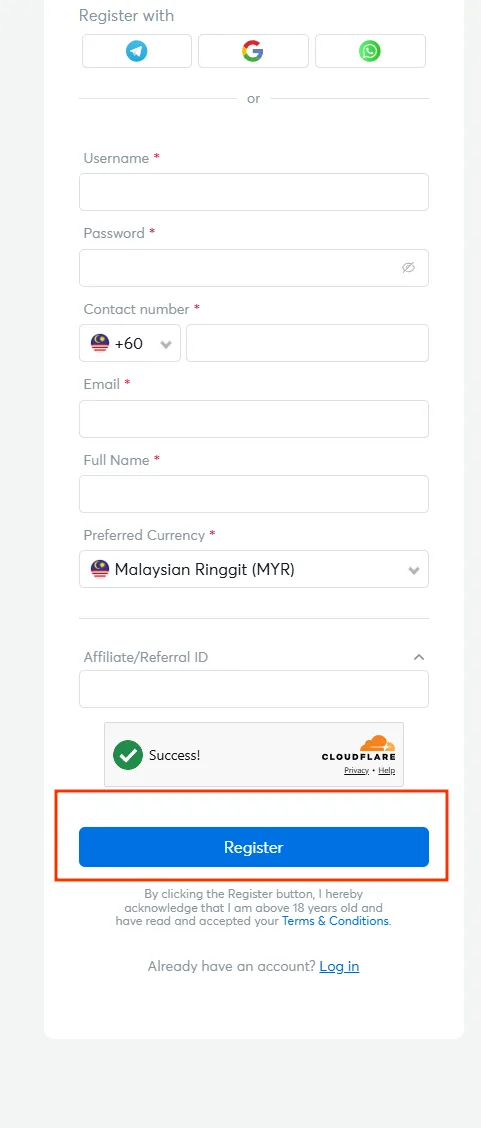
Complete the Cloudflare Turnstile check and wait for the Success message, then press Register. Pressing it confirms that you are over 18 and that you have read and accepted the Terms and Conditions.
Registering on Mobile and in the App
The form is identical in the mobile browser and inside the app, and the account it creates is the same one. There is no separate mobile registration and no second set of credentials to remember.
If you already know you will play from a phone, registering inside the app saves a step: once the account exists you can switch on Express Login and unlock with Face ID or a fingerprint, so later sessions open without typing anything. Install routes for Android and iOS are on the BK8 app download page.
Choosing Your Currency and Referral ID
Preferred Currency is more than a display setting. It decides which payment methods appear in your cashier, which bonus amounts apply to your account and what currency your withdrawals are paid in. For a BK8 register from Malaysia that means MYR, which unlocks Touch N Go, DuitNow, GrabPay, Boost Pay, ShopeePay and a local bank transfer.
Choose carefully, because it is set during sign-up and the platform does not publish a self-service way to change it afterwards. If you picked the wrong one, contact LiveChat before making a deposit rather than after.
The Affiliate or Referral ID field is optional and only matters if someone invited you. Entering their code links the accounts for the referral programme, and it cannot be added retroactively once registration is complete.
Account Verification and Documents
You will not be asked to upload anything to open the account. Verification happens later, and in practice it happens when you request a withdrawal.
At that point the platform can ask for two things: a copy of a photo identity document, and a copy of a bank statement showing the account number and the account holder’s name. The balance on that statement may be covered, since the purpose is to confirm who owns the account and not what is in it.
The reason is straightforward. Payouts go only to an account in the player’s own name, which keeps someone else from redirecting your money if they get into your profile. What is requested and how the documents are handled is set out on the KYC and AML policy page.
Claim Your First Bonus After Registration
A new account is eligible for one welcome offer, and the largest is 288% up to MYR 2,880 on a minimum MYR 50 deposit.
Three moves after sign-up:
- Deposit from MYR 50 with an e-wallet, DuitNow, a bank transfer, a card or crypto.
- Open the Transfer page and move the funds into the wallet of the provider the offer covers.
- Select the promo code shown against that transfer and confirm.
Nothing is credited without that last step. Only the first promotion request is accepted, so if you plan to bet on sport rather than spin slots, take the sports offer instead. Every current offer with its turnover and validity is listed on the BK8 free credit page.
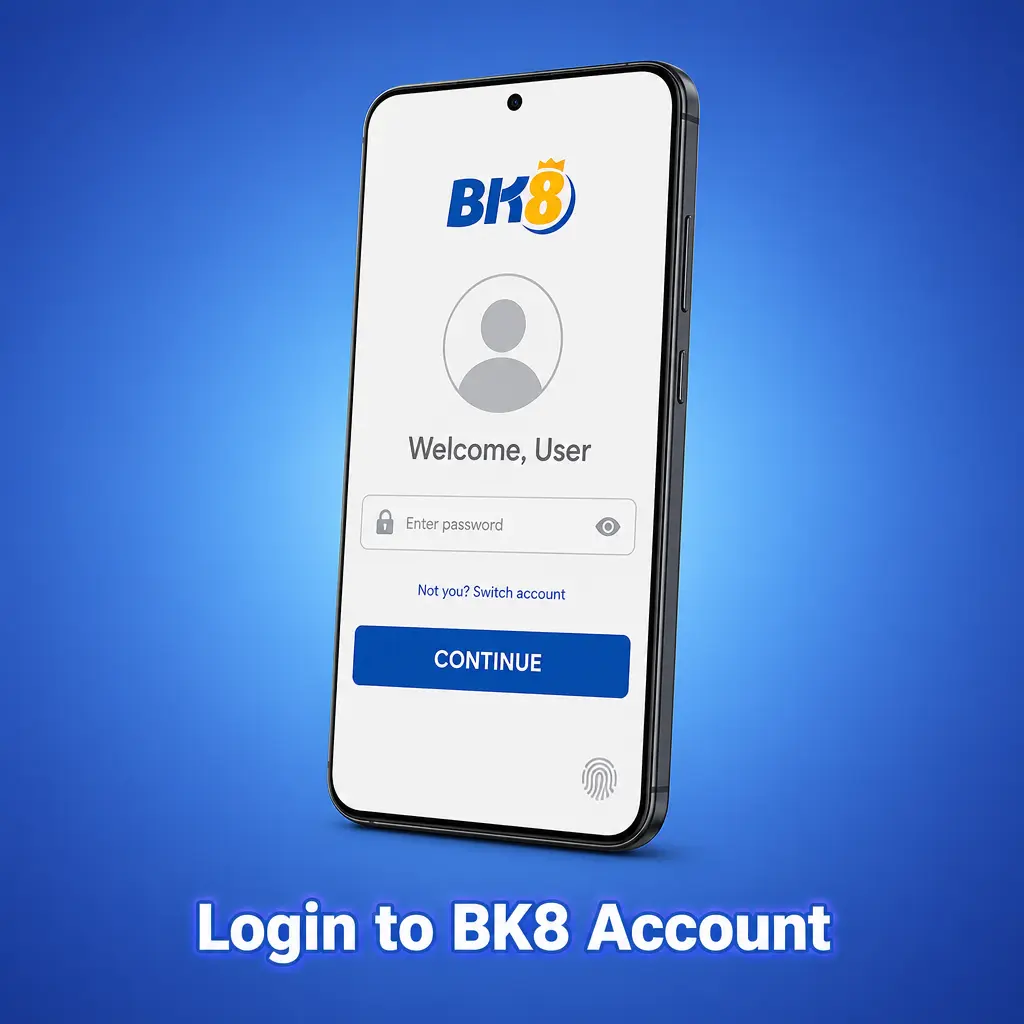
First Login and Account Settings
After registering you sign in with the Username and Password you just created. The login window is minimal by design and asks for nothing else.
Two things are worth doing in the first session. Check that the email and phone number in your profile are correct, because they are the routes support uses to reach you and to help recover access. And keep the password to yourself: anyone who signs in with it is treated as the account holder, and operations made after a successful login count as yours.
Sign-in details, recovery links and what to do when the form refuses you are on the BK8 login page.
Registration Problems and How to Fix Them
Four things account for most failed sign-ups:
- Username already taken. Add a number or a second word rather than changing a single character, which usually collides again.
- Cloudflare Turnstile will not pass. Reload the page, disable a VPN if one is running, and check the device clock, since a wrong time breaks the check.
- Phone number rejected. Select the +60 code from the dropdown and enter the number without the leading zero and without spaces.
- Form will not submit. Clear the browser cache or open the page in a private window, then fill it in once more.
If the form still refuses after that, LiveChat is available around the clock and can see what the server rejected. Contact routes are on the BK8 customer service page.
BK8 Registration FAQ
What do I need to open a BK8 account?
An email, a phone number with the +60 code, your full name as on your documents, and a currency choice. You must be 18 or older.
Can I register from my phone?
Yes. The form is the same in the mobile browser and in the app, and it creates one account that works everywhere.
Which currency should Malaysian players choose?
Malaysian Ringgit. It is the default in the form and it unlocks the local e-wallets, DuitNow QR and MYR bank transfers in the cashier.
Do I have to send documents when signing up?
No. Documents are requested later, usually before a withdrawal: a photo ID copy and a bank statement showing the account number and holder name.
Can I change my username later?
The platform does not publish a self-service way to change it, so choose carefully at sign-up and ask LiveChat if you need it looked at.
How do I get the welcome bonus after registering?
Deposit from MYR 50, transfer the funds into the provider wallet the offer covers, then pick the promo code on the Transfer page.
Updated: